
← Back to Help Center
💳 Subscription & billing
- How does your pricing work?
- Can I try Easy Ticket AI for free?
- How can I start or modify my subscription?
- Is it possible to give only some of my agents access to Easy Ticket AI, and be billed accordingly?
- What happens to subscription payments if I change how many agents have access during the billing cycle?
- Do I need to buy a separate Open AI subscription?
← Back to Help Center💳 Subscription & billing
Is it possible to give only some of my agents access to Easy Ticket AI, and be billed accordingly?
Yes! Here is a step by step guide:
- Install Easy Ticket AI if you haven't already.
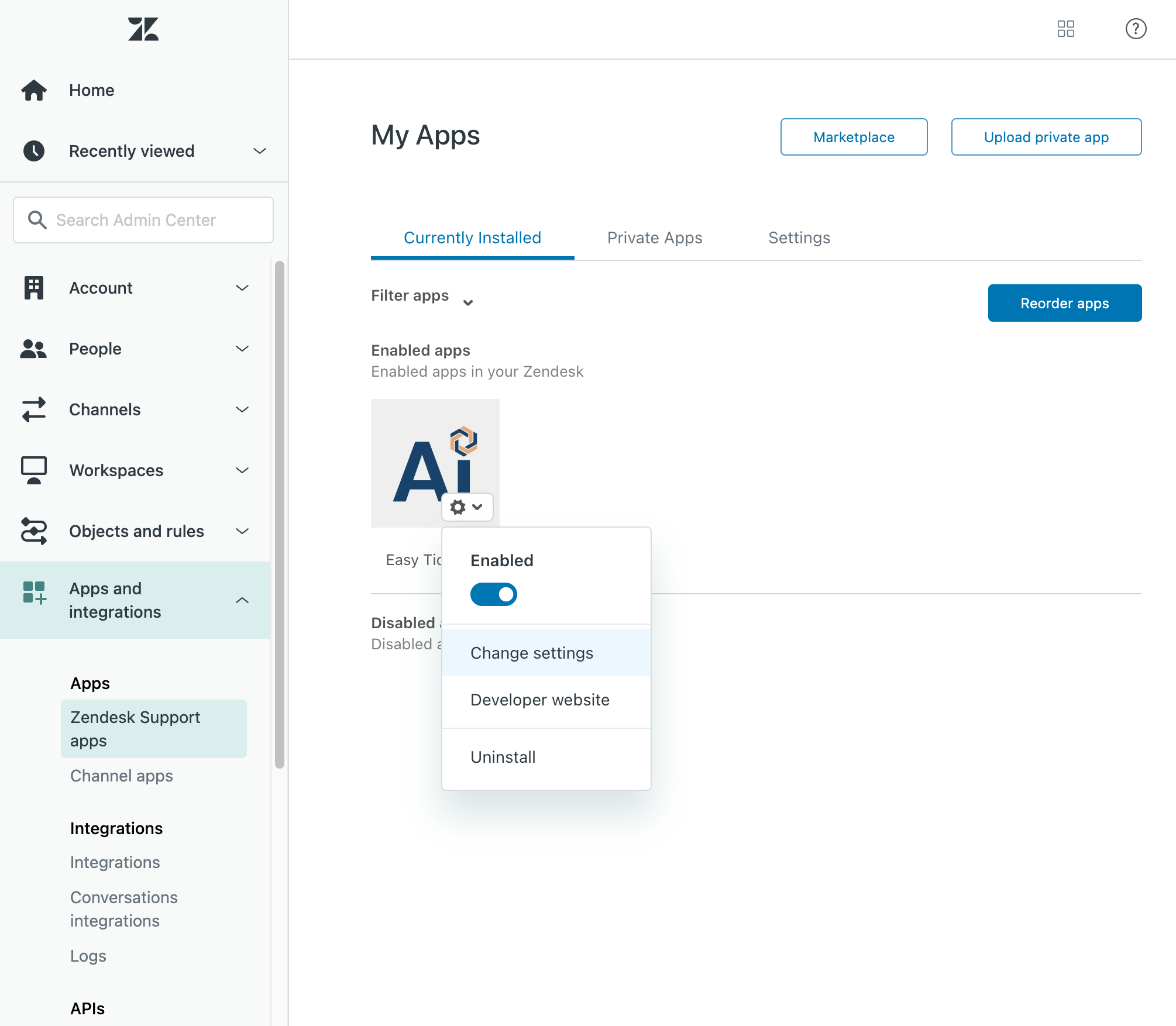
- In your Zendesk Admin Center, open Apps and integrations -> Zendesk Support apps -> find Easy Ticket AI under Currently Installed -> click the gear icon -> click Change settings.
- Choose how you want to restrict access:
- Group restrictions: Check Enable group restrictions and select one or more groups. You can use existing groups or create a dedicated group, for example "Easy Ticket AI access".
- Role restrictions: Check Enable role restrictions and select one or more Zendesk roles.
You can enable either type of restriction or both. If you enable both, an agent must belong to at least one selected group and have at least one selected role to access Easy Ticket AI.
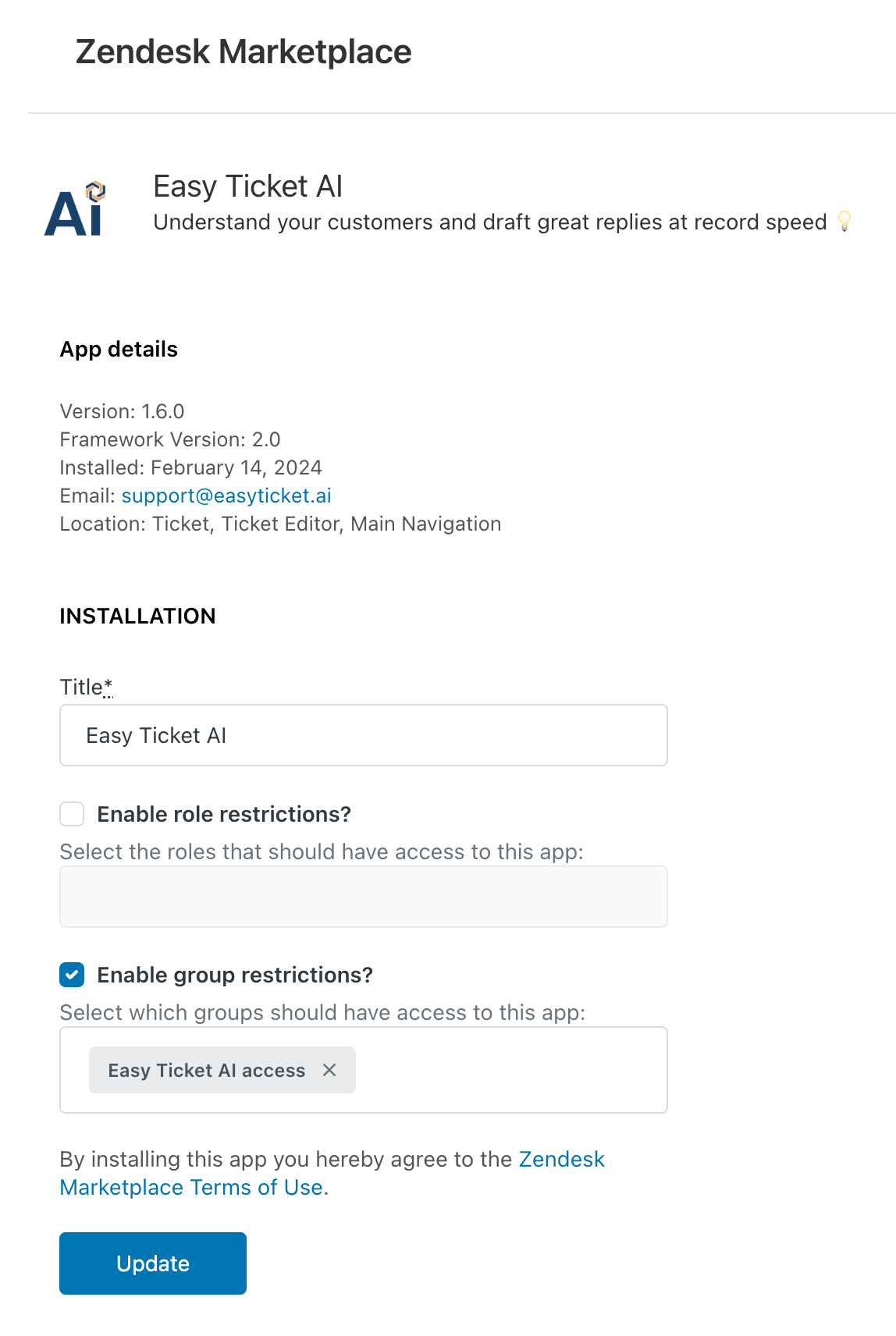
- Click Update. Done! From that point, only agents who match the selected restrictions will have access to Easy Ticket AI, and only those active agents will be counted for Easy Ticket AI subscription billing. An agent who belongs to multiple selected groups or matches multiple selected roles is counted only once. Any later group-membership or role changes will automatically update the number of active seats (learn more here).

©2026. Easy Ticket AI is a product by TechnoQuest Ltd.
Company no. 12518916, registered in England and Wales.
©2026. Easy Ticket AI is a product by TechnoQuest Ltd.
Company no. 12518916, registered in England and Wales.