
AI Tagger - Using AI instructions
As the Zendesk team admin, you control the AI Tagger's behavior. Simply put:
- You choose which tags the AI Tagger is allowed to apply
- You decide in which cases these tags should be applied
You can make these decisions in the app admin panel, under the "Tagging instructions" tab. See below.
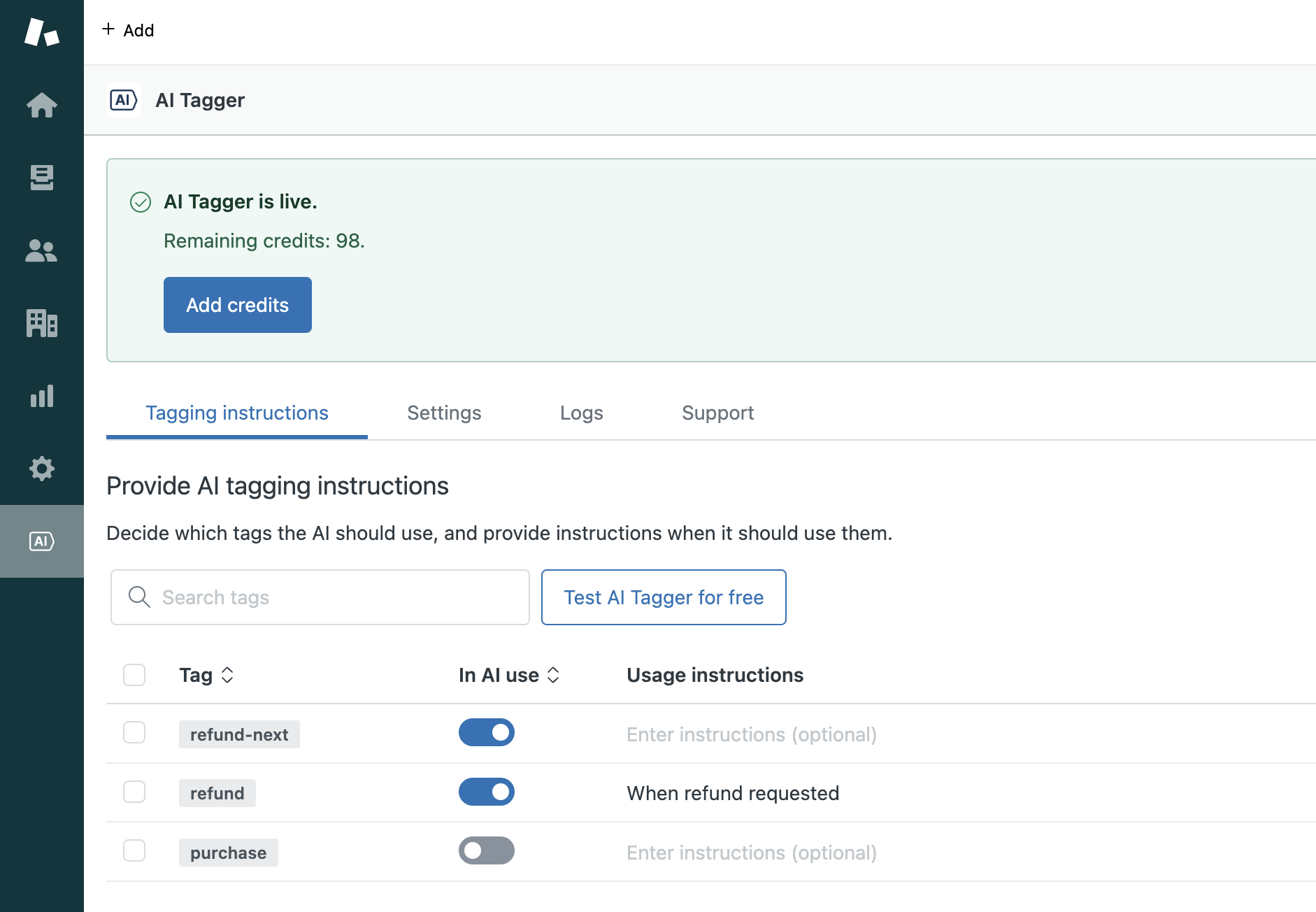
What happens if you enable a tag but provide no instructions?
The AI will use its best guess based on the tag name. In case of a tag like "refund" it should be simple enough, but some other tags may require an explanation.
What's a good explanation?
It should be short and sweet. Ideally one sentence, making sure to describe the cases when the tag is appropriate.
How can I know if my instructions are good?
You can test it for free. Simply click Test AI Tagger for free under the Tagging instructions tab in the app admin panel. Enter a Zendesk ticket ID, click Test, and below you'll see which tags the AI Tagger would have applied to the first customer message, based on your instructions.
If the tags are inaccurate, go back to the previous step, make sure relevant tags are enabled, and rewrite/clarify the instructions.
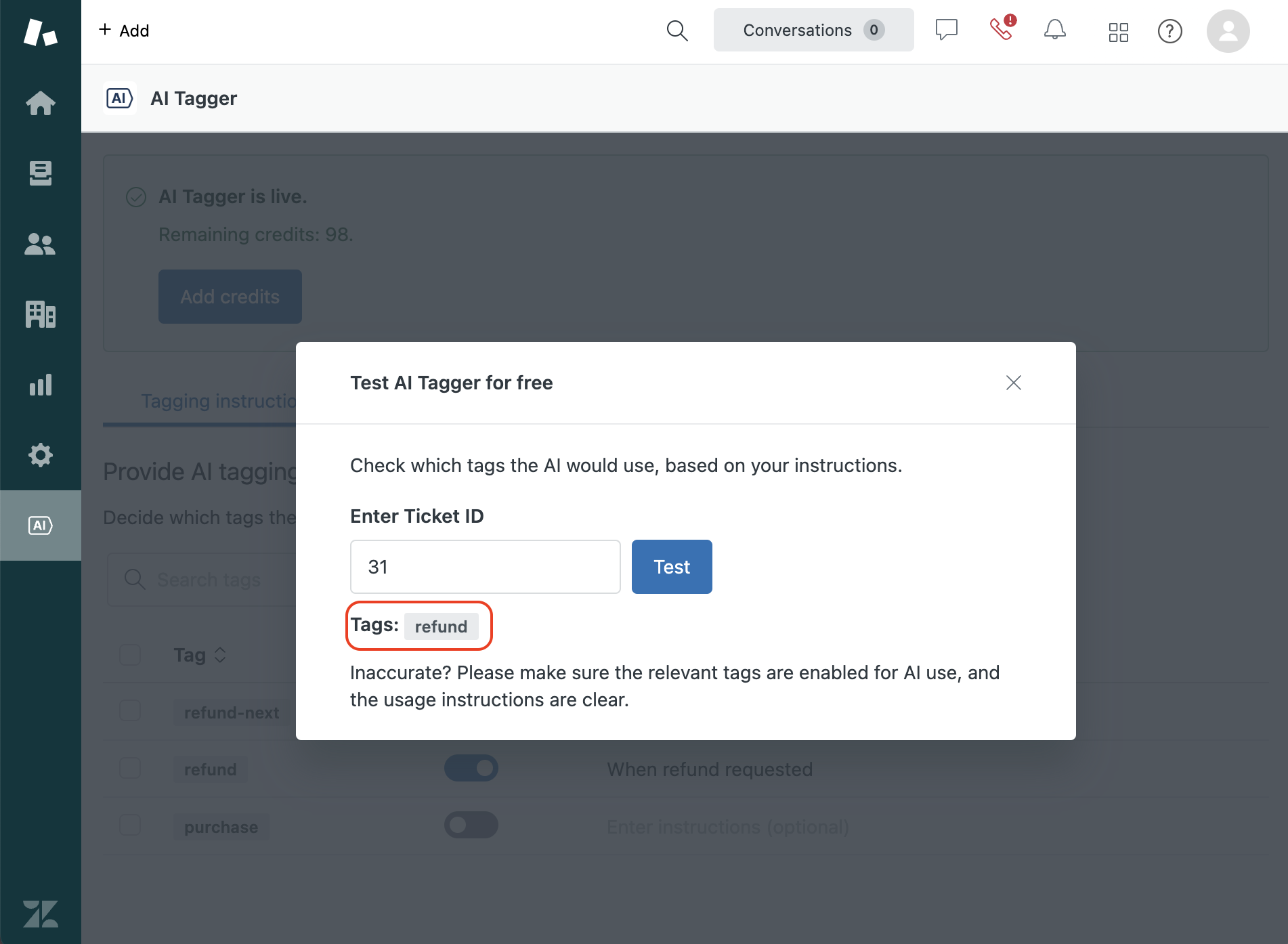
In case the results you are getting are still not fully accurate, please contact our team.