
🚀 Features & capabilities
- What features does Easy Ticket AI have?
- Does Easy Ticket AI have all the context needed to draft accurate responses?
- Is Easy Ticket AI a chatbot?
- Where can I find Easy Ticket AI in Zendesk?
- I have too many apps in the sidebar and I don't want to scroll. Is there a way to access Easy Ticket AI more quickly?
- What can I do if Easy Ticket AI's reply drafts don't include the right facts or follow the brand style?
What can I do if Easy Ticket AI's reply drafts don't include the right facts or follow the brand style?
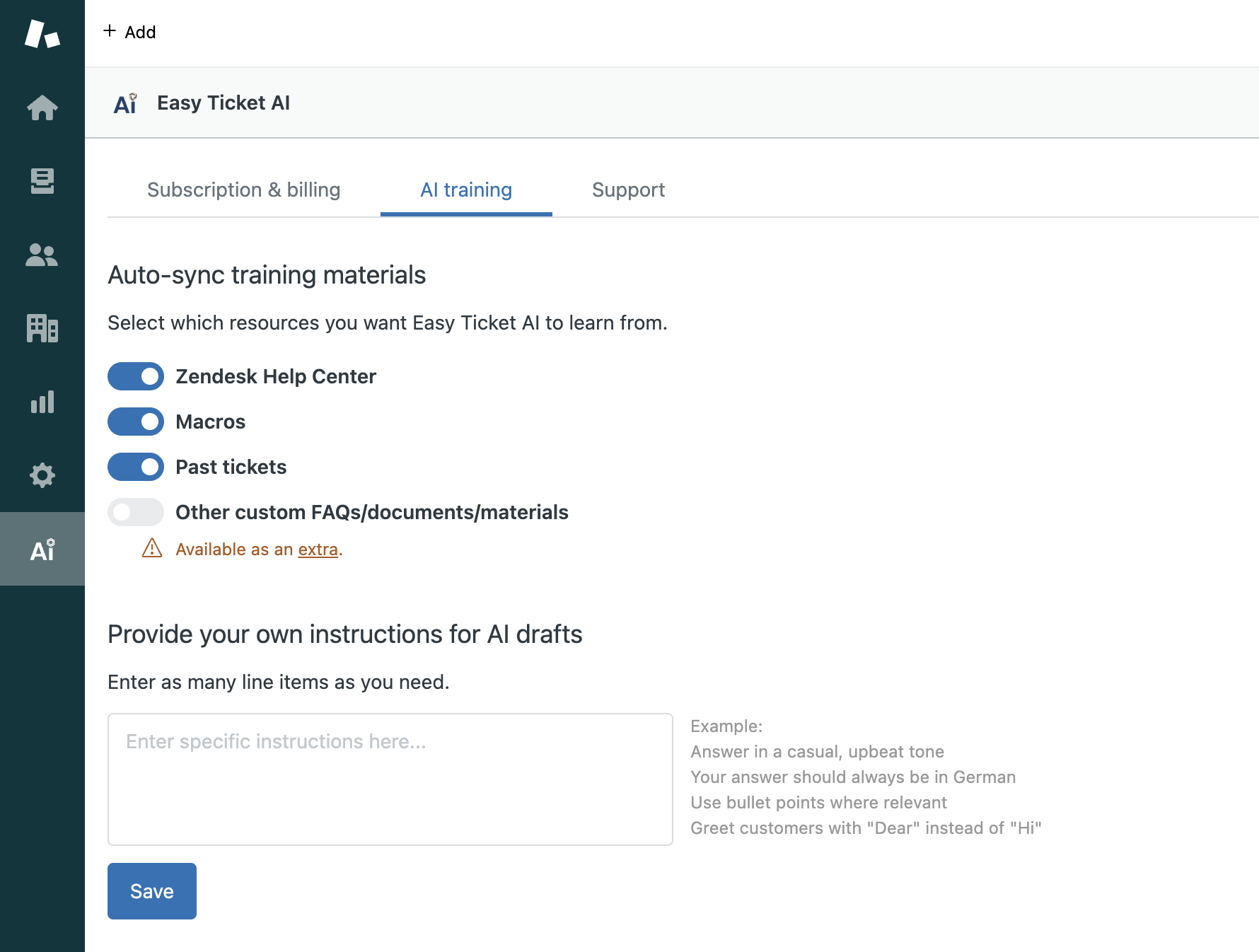
1. Enable relevant knowledge sources
Easy Ticket AI learns both about relevant facts, and your brand style (how to respond) based on the sources that you select.
To modify your selection, open Easy Ticket AI in the navigation bar -> "AI training" tab -> select the relevant sources.
If you're interested in add-ons, learn more on our pricing page.
2. Enter custom instructions
You can give Easy Ticket AI manual instructions. The AI will aim to follow them when drafting replies for your team.
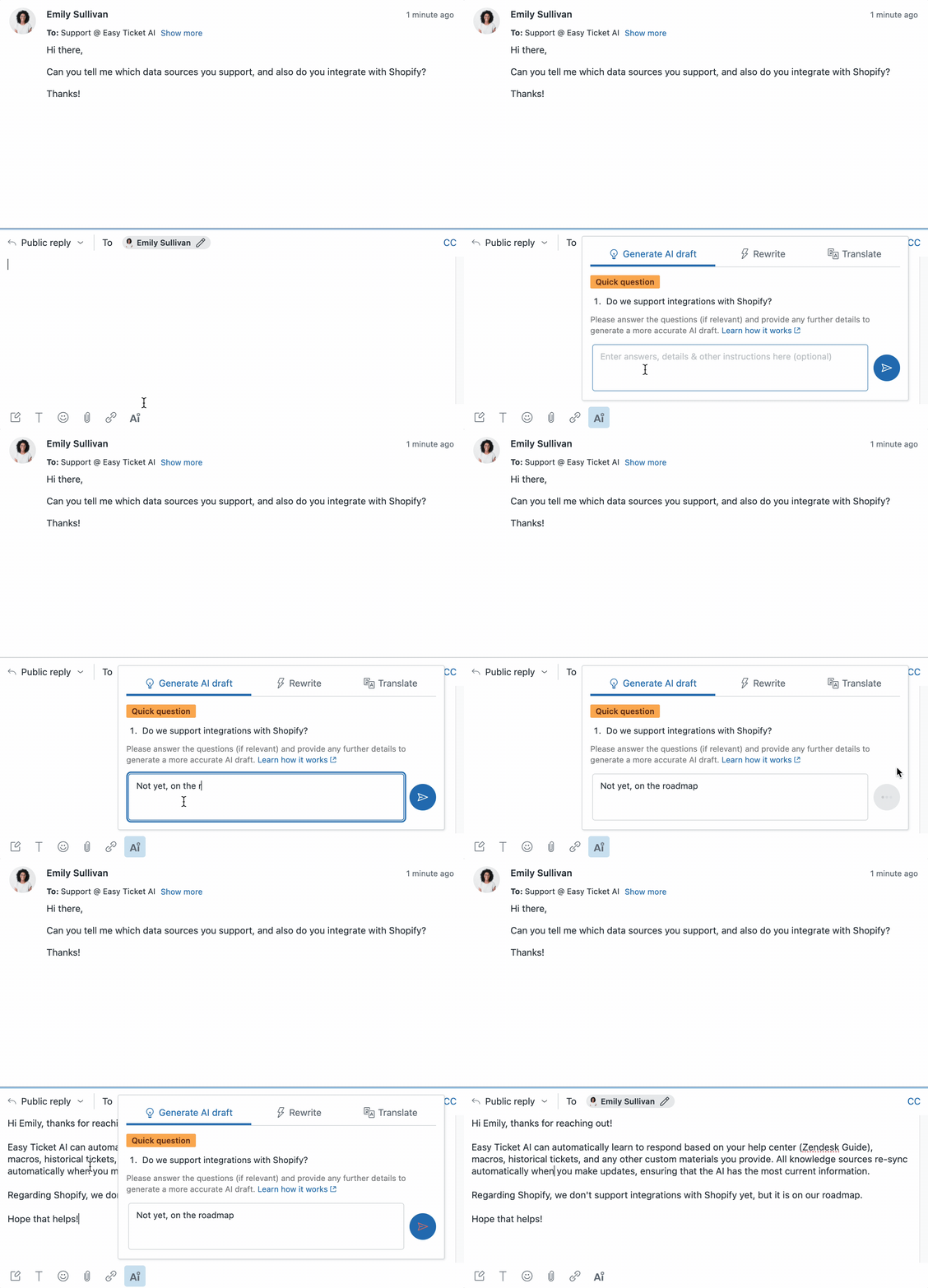
Adding instructions for the current ticket
This is useful for instance if you want the AI to make a draft that includes facts that are specific to that customer, which the AI might not know about otherwise.
Adding default instructions for all tickets
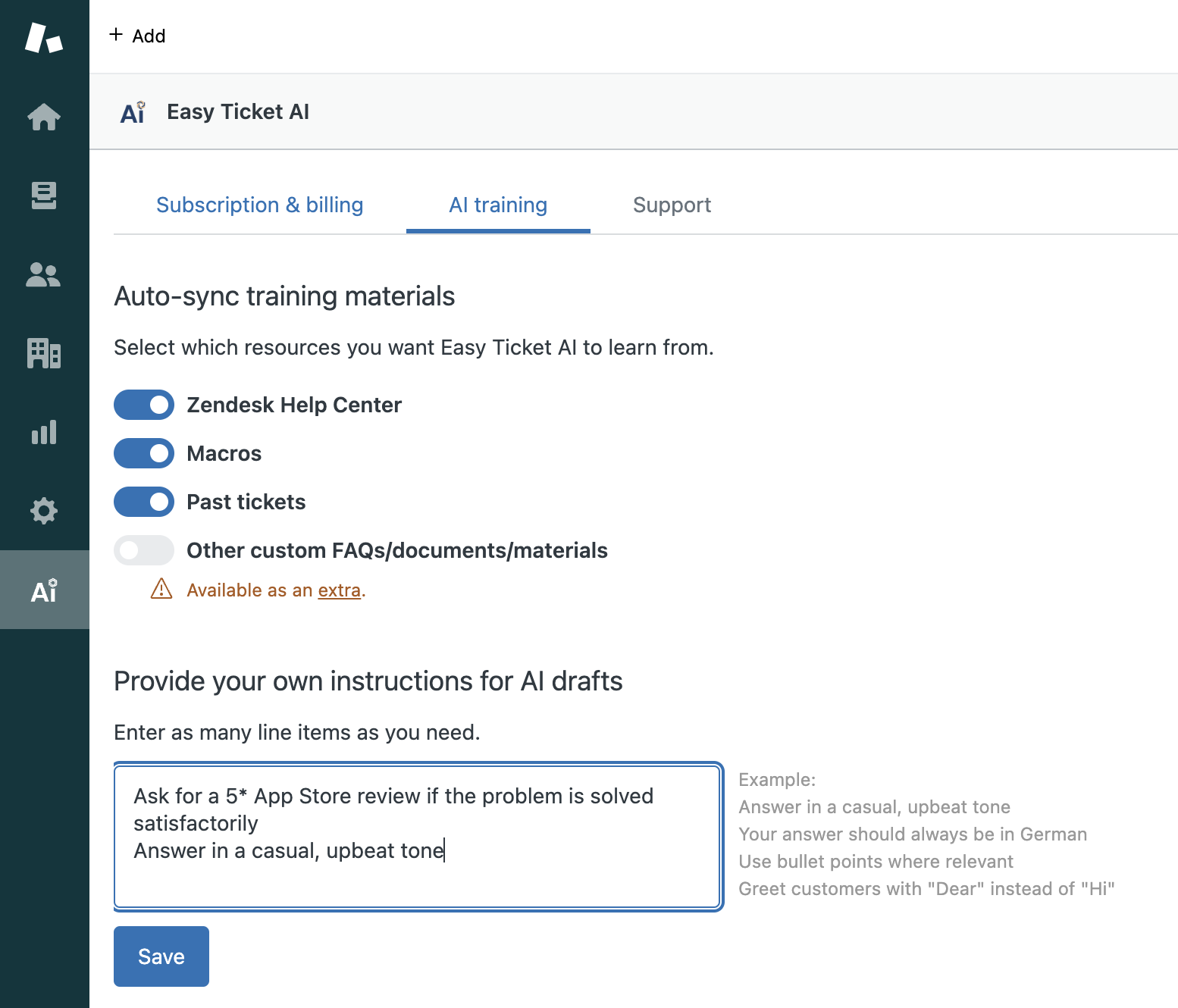
You can also add instructions that will apply to all drafts by default.
Simply open Easy Ticket AI in the navigation bar -> "AI training" tab -> enter one instruction per line at the bottom of the page.
You can add multiple lines. Some of our customers add 20+ lines with granular instructions and report good results.

©2026. Easy Ticket AI is a product by TechnoQuest Ltd.
Company no. 12518916, registered in England and Wales.
©2026. Easy Ticket AI is a product by TechnoQuest Ltd.
Company no. 12518916, registered in England and Wales.