
🚀 Features & capabilities
- What features does Easy Ticket AI have?
- Does Easy Ticket AI have all the context needed to draft accurate responses?
- Is Easy Ticket AI a chatbot?
- Where can I find Easy Ticket AI in Zendesk?
- I have too many apps in the sidebar and I don't want to scroll. Is there a way to access Easy Ticket AI more quickly?
- What can I do if Easy Ticket AI's reply drafts don't include the right facts or follow the brand style?
Does Easy Ticket AI have all the context needed to draft accurate responses?
When you open the "Generate draft" menu, Easy Ticket AI starts by checking if it feels confident to automatically draft an answer based on the information it has access to.
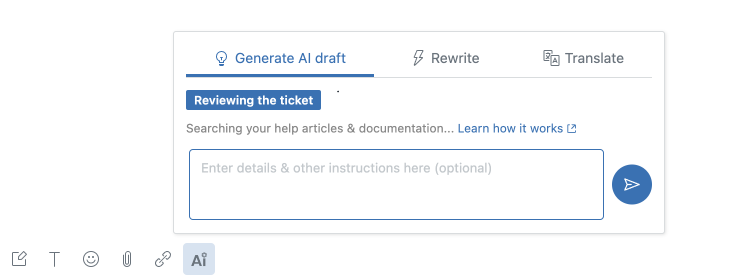
The sources reviewed at this stage include:
- The current conversation
- Help articles and other documentation available to Easy Ticket AI, as described here.
Scenario 1: AI has sufficient information
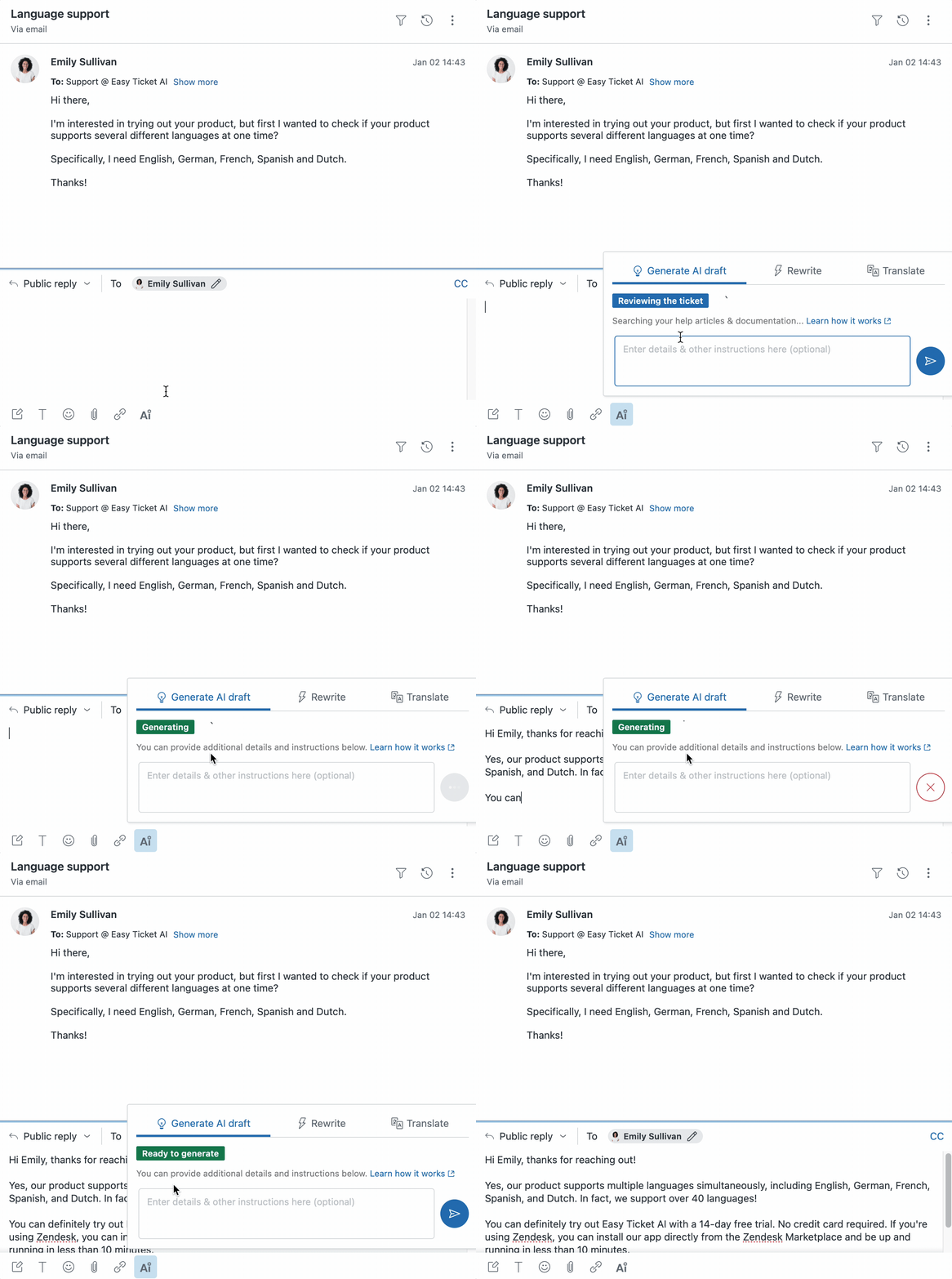
This is common if, for example:
- The AI finds the required information in the help articles and documentation.
- The reply doesn't require specific knowledge (e.g. the customer confirmed the issue is solved, meaning we are replying with a "thank you, let us know if you need anything else").
In this scenario, the AI confirms that it has all it needs, and - if nothing is drafted yet - auto-drafts a response.
Please note: you can still provide additional context and instructions to get a customized draft.
Scenario 2: AI is missing some information
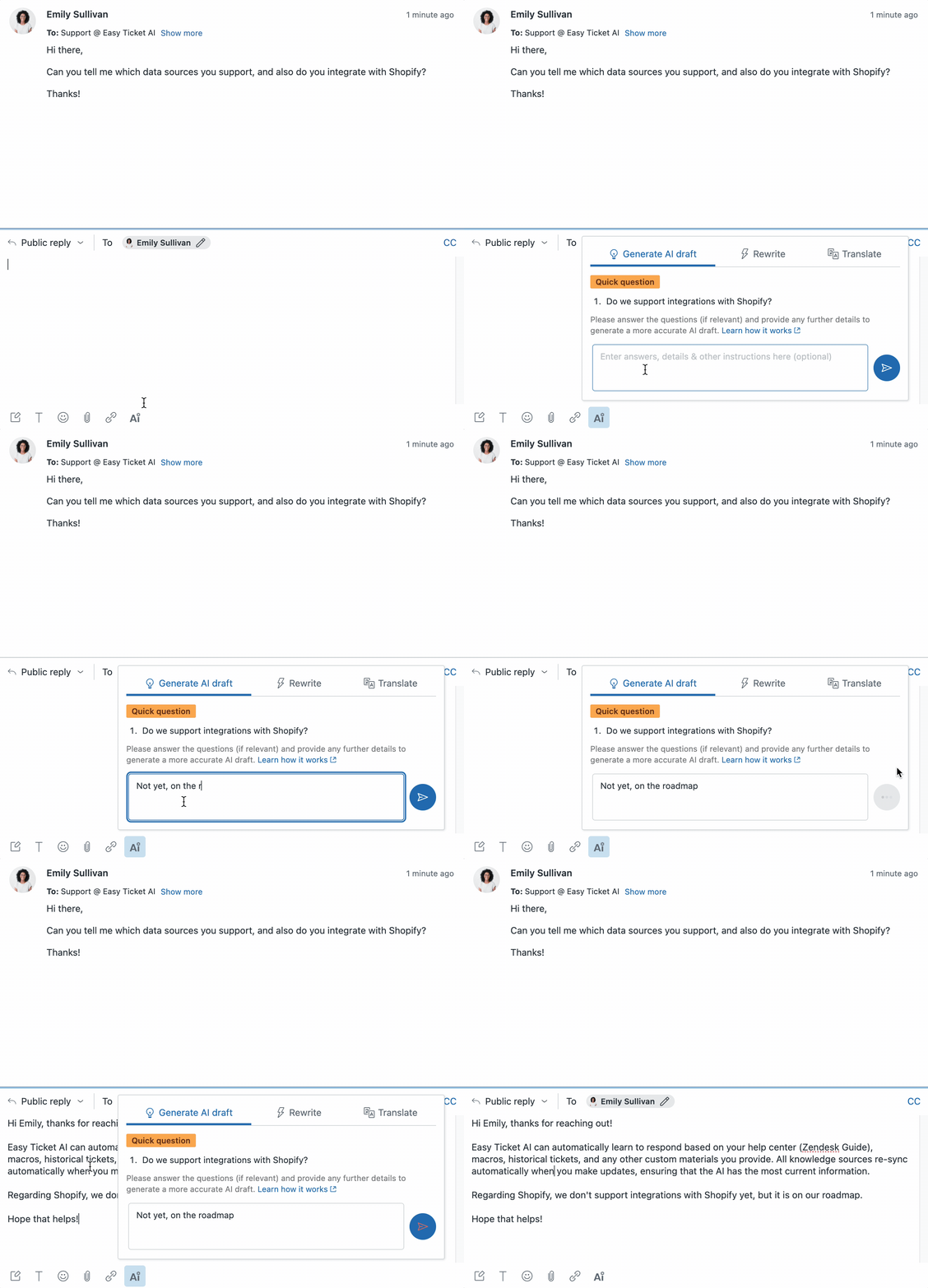
In this scenario, Easy Ticket AI believes that an accurate response would require information or decisions that it doesn't have access to.
For example, out of the box Easy Ticket AI isn't integrated with customer account-specific databases, so it can't check the status of a specific order.
To address that, Easy Ticket AI comes up with several questions, asking for the inputs that can help draft an accurate response. You can then answer these questions (if relevant) and provide any further context and instructions. Easy Ticket AI will then generate a full draft aiming to follow your inputs.
Please note:
- Easy Ticket AI's questions are only a hint. They might not be comprehensive, and might not correspond to how such tickets should be handled by your organization.
- You can provide more information and instructions, not only what Easy Ticket AI asks about.
What can I do to help Easy Ticket AI handle more replies automatically?
- Make sure the documentation that Easy Ticket AI has access to is comprehensive and up to date.
- If you have external manuals and documentation, consider learning from custom documents.
- Contact us if you'd like to add custom database integrations.

©2026. Easy Ticket AI is a product by TechnoQuest Ltd.
Company no. 12518916, registered in England and Wales.
©2026. Easy Ticket AI is a product by TechnoQuest Ltd.
Company no. 12518916, registered in England and Wales.